Share CradleFree with your family
Up to six people can log the same baby in CradleFree, and everyone sees the same feeds, diapers and sleep. The records live in your family's own iCloud and nobody makes an account, but everyone needs an iPhone.
Last updated October 31, 2026
 Coming soon to the App StoreNeeds iOS 26 or later. Free for 14 days, no card.
What each person needs
- An iPhone with iOS 26 or later, signed in with their own Apple Account, with CradleFree installed. Android phones can't join.
- The records are stored in the iCloud of the person who sends the invitations, called the owner in the app. Nobody else's iCloud storage is used.
- Sharing is part of the 14-day trial. After that, one person in the family buys the Family Pass and everyone keeps syncing.
The owner: invite someone
Usually this is whoever has been logging so far, since their iPhone already has the baby's records.
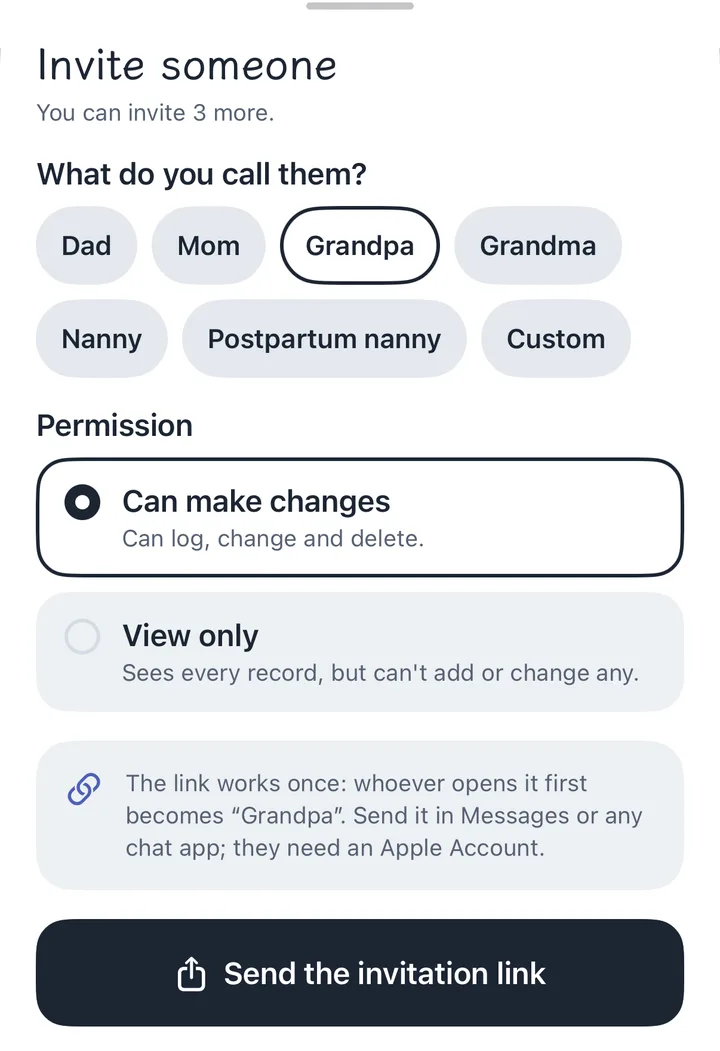
- Open CradleFree and go to Settings › Family sharing. Choose what the family calls you: Mom, Dad, Grandma, Grandpa, Nanny, or your own.
- Tap Invite someone, choose what you call them, then Can make changes or View only.
- Tap Send the invitation link and send it in Messages or any chat app.
Each link is for one person and works once: whoever opens it first becomes “Grandpa”. You don't need to know their Apple Account.
View only means they see every record but can't add or change any. It suits a grandparent who just wants to know when the baby last ate. The owner can change it later.
Their iPhone: join with the link or the code
- Install CradleFree from the App Store.
- If the link came in Messages, tap it. CradleFree opens and joins.
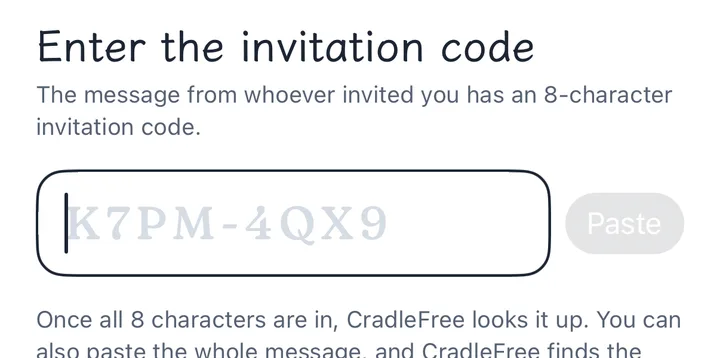
- Some chat apps, such as Instagram, LINE and WeChat, open links in their own browser and only show an iCloud web page. Use the 8-character invitation code from the same message instead (it looks like K7PM-4QX9): open CradleFree, tap Family invited me and type it in.
CradleFree looks the code up as soon as all 8 characters are in. Capitals and the dash don't matter, and you can paste the whole message. It then shows which baby, who invited you and whether you can make changes, before you tap Join.
Already using CradleFree? Go to Family sharing and tap Got an invitation code from family? Enter it. If your iPhone already has records, you're asked once whether to merge them.
A code works for 72 hours, once. If it runs out, the owner taps that person in the list and sends the invitation again, with a new code.
Once everyone has joined
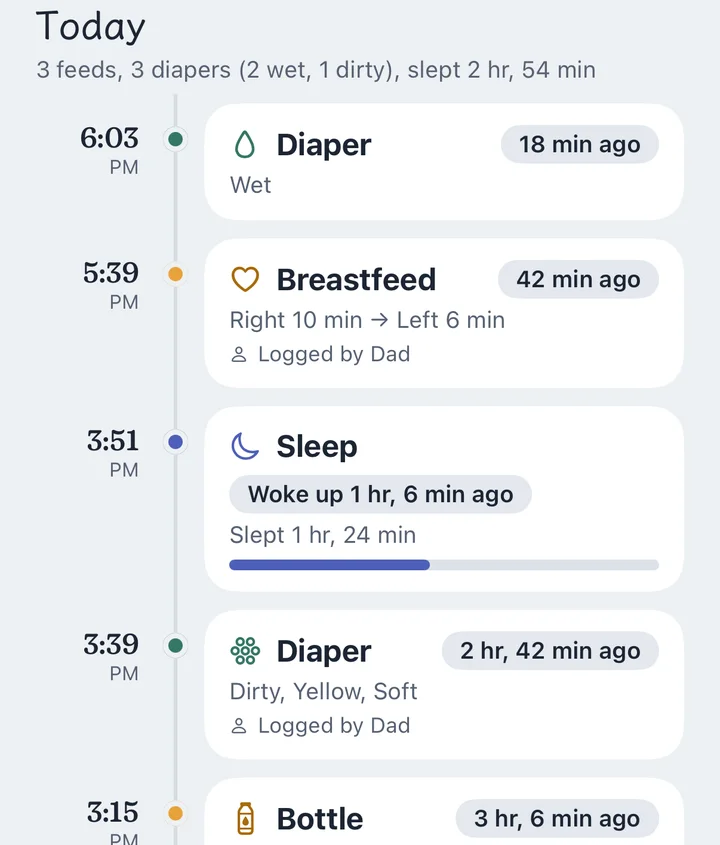
- Everyone sees the same records, and the timeline says who logged each one.
- When Dad logs a diaper, Mom sees it the next time she opens CradleFree. Her phone doesn't get a notification.
- Nothing waits for the network. A tap is saved on that iPhone first and synced in the background. If two people start the same feed before their phones sync, the two become one feed.
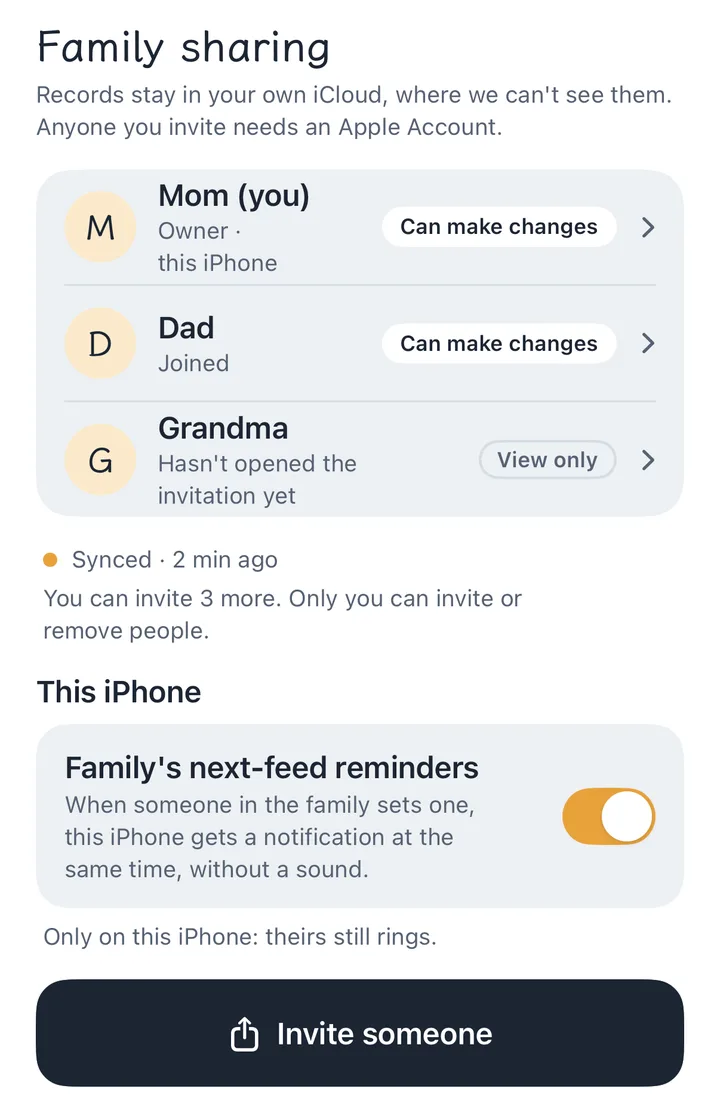
- A next-feed reminder rings only on the phone that set it. The rest of the family get a silent notification at the same time, and each phone can turn that off in Family sharing.
Changing permissions, removing someone, leaving
- Only the owner invites, removes people and changes permissions. Everyone else can see who's in, and can leave.
- The owner can invite up to five people, six with the owner. An invitation nobody has opened yet counts as one.
- When someone is removed or leaves, the baby's records are deleted from their iPhone. What they logged stays with the family. Anything they exported or screenshotted before can't be taken back.
- When the owner taps Stop sharing, the records are deleted from everyone else's iPhone and the owner keeps all of them.
If iCloud is full
Every iPhone keeps saving records and syncs again once the problem is fixed. The records are in the owner's iCloud, so the owner is the one to free up space, and the app says whose iCloud is full. On that iPhone, open Settings › your name › iCloud and delete old backups or photos, or upgrade to iCloud+.
Questions
Can a grandparent with an Android phone join?
No. CradleFree is iPhone only, and family sharing runs on iCloud, so everyone needs an iPhone.
Does everyone have to buy the Family Pass?
No. One person buys it and everyone in the family unlocks. If the buyer leaves or is removed, the family goes back to the free version until someone buys it again.
Do we need to make accounts?
No. CradleFree uses the Apple Account each person is already signed in with.
How many people can share one baby?
Six: the owner and five people they invite.
Our nanny is leaving. How do we stop the nanny seeing the records?
The owner taps the nanny in the Family sharing list and taps Remove. The next time the nanny's iPhone reaches iCloud, the baby's records are deleted from it.